




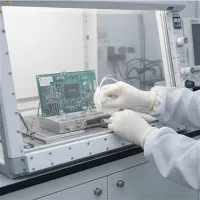

Here's a step-by-step guide to installing your Wrist Strap Monitor.
Before you begin, ensure you have the following items:
- Wrist Strap Monitor
- Monitor Ground Cord (Green and Yellow)
- Power Adapter (if required)
- Wrist Strap with Dual Conductor Ground Cord
- Suitable Grounding Point
Attach the ground wire of the monitor to a known good electrical ground point. This is essential for ensuring the monitor functions correctly and provides accurate grounding.
Determine the best location for the monitor, typically near the workstation where it's easily accessible for the operator. You can mount the monitor using screws or Dual Lock Reclosable Fastener. If you need to change the orientation of the monitor, rotate the printed circuit board and covers 180 degrees.
If your monitor requires power, connect the circular plug of the power adapter into the power jack on the back of the unit. Ensure the adapter is connected to a suitable power source.
Connect an SCS Dual Conductor Ground Cord to an SCS Dual Conductor Wristband. Place the wristband on your wrist and plug the cord into the jack on the front of the Wrist Strap Monitor. This action activates the monitor.
Use the set switch on the monitor to set the alarm level. The alarm level can be set to 1-10 ohms in 1 ohm increments, or 10-20 ohms in 2 ohm increments. This setting determines when the monitor will trigger an alarm if the impedance exceeds the preset level.
If your monitor model has an audible alarm, you can enable or disable it by pressing the "Set" switch on the back of the unit. Some monitors will produce a short beep when powered up, indicating that the sound is disabled, while two short beeps mean the sound is enabled.
To ensure the monitor is functioning correctly, use a verification kit or follow the manufacturer's instructions to test the monitor's response to different resistance levels. This step is crucial to verify that the monitor will accurately detect any grounding issues.
Regular Maintenance
Daily cleaning:
Gently wipe the outer shell and surface of the wrist strap monitor with a dry, soft cloth to remove dust and dirt. Avoid using any chemical cleaning agents that may cause static electricity, as this may damage the equipment
.
Regular inspection:
Regularly check all connections of the wrist strap monitor to ensure there are no signs of looseness or damage. This includes checking the connections of the wrist strap socket, grounding wire, and power adapter
.
Maintenance of grounding wire:
Ensure that the grounding wire is not damaged or corroded, and is firmly connected to a reliable grounding point. Any damaged grounding wire should be replaced immediately to ensure the correct grounding of the monitor
.
Avoid moisture:
Keep the wrist strap monitor dry and avoid exposing it to humid environments, as moisture may affect the electrical performance of the device
.
Battery inspection:
If the wrist strap monitor is powered by batteries, please regularly check the battery status and replace it if necessary. Low battery may affect the performance of the monitor
.
Avoid physical impact:
When operating and storing wrist strap monitors, avoid any severe impact or drop to prevent damage to internal components
.
Calibration and testing:
According to the manufacturer's instruction manual, regularly calibrate and test the wrist strap monitor to ensure the accuracy of its measurement values
.
Troubleshooting:
If the wrist strap monitor issues an alarm, follow the troubleshooting instructions in the user manual. This may include checking the contact of the wrist strap, the humidity of the skin, the damage of the wrist strap, and the status of the grounding system
.
Professional maintenance:
If there is a problem with the wrist strap monitor and it exceeds your ability to handle, please contact a professional repair service or manufacturer for repair
.